CueGO
Send music and cues from the stage. Build the running order beforehand, then hit the next cue during the show. Playback position and waveform stay visible so you always know where you are.
This is not a setlist notepad. It is built for the moment mid-show when your hands are busy and a wrong tap costs you.
- Buy once. Nothing recurring.
- Register up to 3 devices.
- Same price wherever you buy it.
- One full show free, with every feature unlocked.
To use CueGO across different kinds of devices, buy it here. A store purchase stays inside that store.
Ask about buying ↗Checkout is being set up. Message us and we will take it from there.
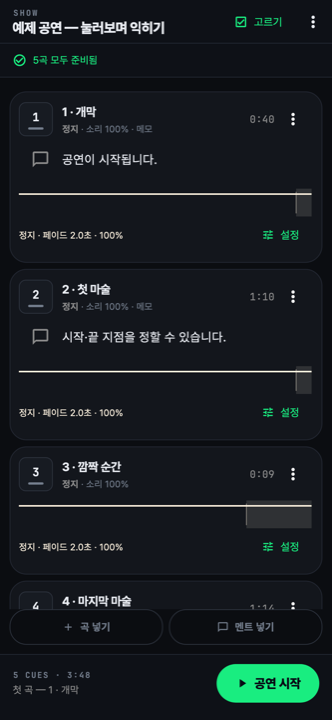
This is what you look at on stage.
How one show runs
All screens below are the real app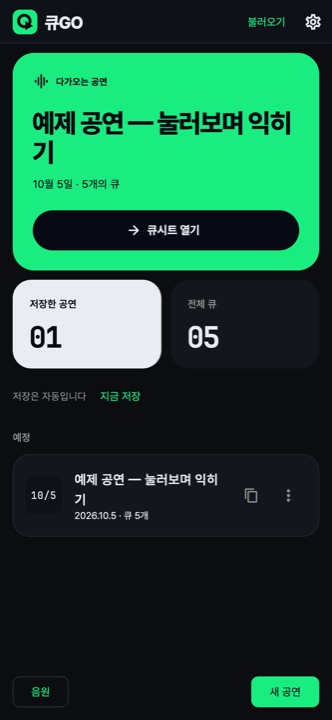
Build the show beforehand
The next show and its cue count greet you first. One tap on Open Cue Sheet drops you into the stage view. Saving is automatic — there is nothing to remember to press.
Bind a remote to GO
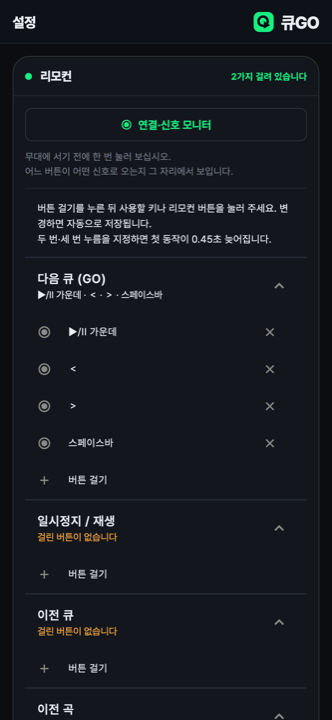
Bind a remote or keyboard key to Next Cue. Before you go on, open the Connection and Signal Monitor and press the button — you see exactly which signal it sends. That means you can advance the show without looking down.
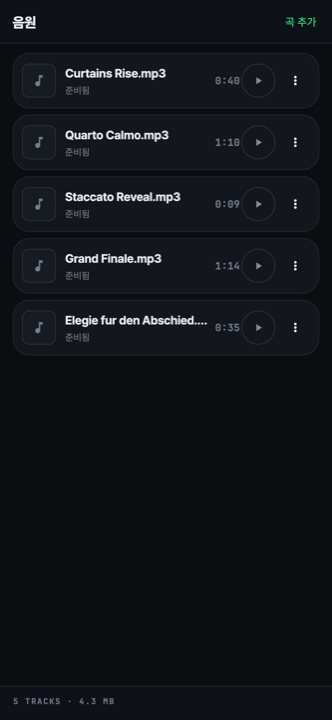
The audio lives in the app
Add your tracks and each one is marked Ready. The total count and size sit at the bottom, so you can see at a glance whether anything is missing before the show.
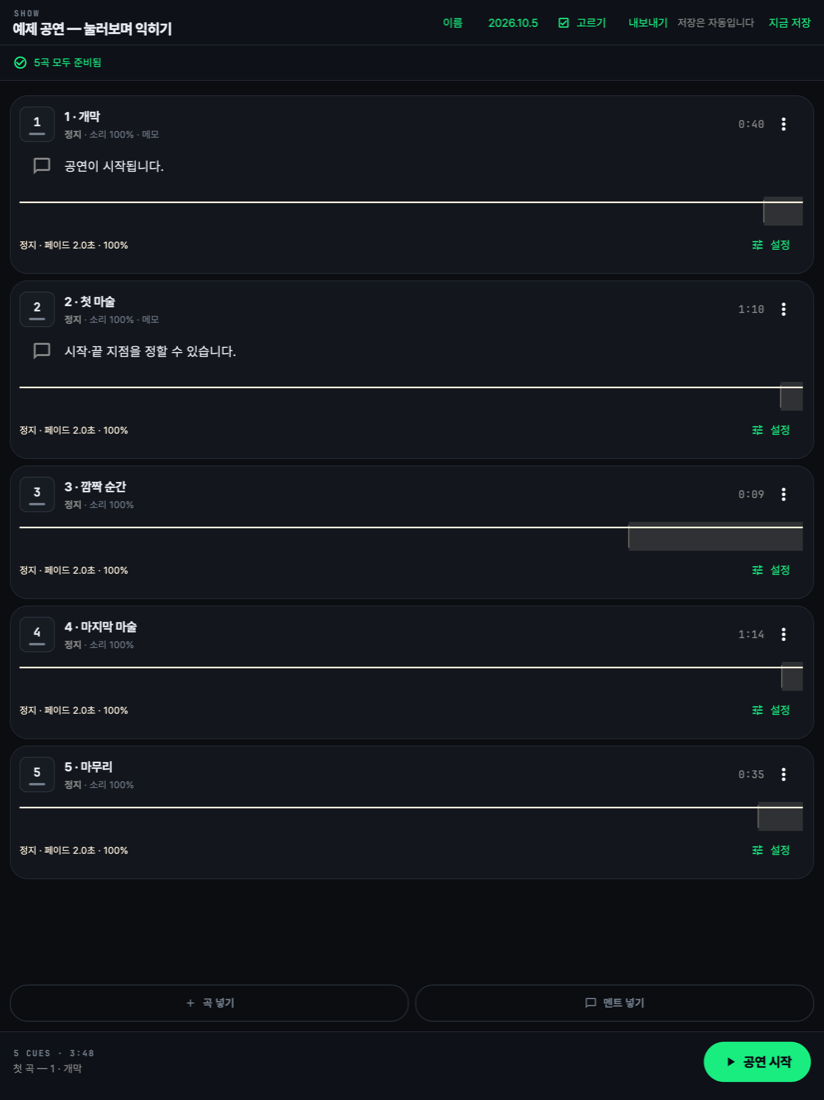
On iPad the whole show fits on one screen
All five cues are visible at once, and the show name, date and export controls move up into a single top row. What you scroll through on a phone lies flat on a tablet.
Your licence covers 3 devices, so an iPad and a phone can share it.